Your Gumroad page sounds like every other one —and it's killing your sales. That's the problem these four ChatGPT prompts for Gumroad sellers fix.
These are specially crafted AI prompts for digital products —but they'll also work for physical products with a few tweaks.
One writes titles. One builds the "You'll get" section. One tests your idea before you build. One briefs the cover image.
I ran each against real listings and cut anything that didn't deliver consistently good outputs.
Give them a go. Copy, paste, and run.
Prompt 1: Get 10 Ranked Title Options Instead of One Bland One
The title is the most-read element on your page, and the thing this Gumroad product description prompt fixes.
Ranked Tiltes Prompt
When to use it: Right now, your title describes the format ("Planner Template Pack") instead of the outcome, or maybe you just can't think of a better alternative to that first one you drafted.
What to customize: The three fill-ins. Be literal in `{{format_and_contents}}`; the prompt works from what's actually inside.
Tested: I ran this against my own product pack and it returned a set of usable titles in one pass, though results will vary by product.
Prompt 2: Build a You'll Get Section That Sells
Buyers skim. This prompt turns your list of files into bullets optimized for skimming.
What You'll Get Prompt
When to use it: your current bullets are a file list ("12 PDFs, 3 PNGs") instead of reasons to buy.
What to customize: paste your contents list exactly as it is, mess included. The prompt's job is turning a mess into something skimmable.
Tested, including a failure: the first version of this prompt crammed four item names into single bullets when I ran it on a real product. The one-benefit-one-deliverable rule you see above was added after that failure, and the re-run passed. That's why the rule reads so specifically; it's a patch over a real hole.
Prompt 3: Stop Building Products Nobody Wants to Buy
This one runs before everything else, and it's deliberately blunt and to the point.
Product idea validator
When to use it: before you build anything — or when a live product keeps failing.
What to customize: don't skip `{{current_alternatives}}`. The free-options line is where weak ideas die, and that's the service.
Tested on itself: I ran this prompt on a product idea I had for pet influencers. It scored willingness-to-pay a 2 out of 5 and told me to run a specific 48-hour validation test instead of building anything. A prompt that just flatters you would have said, "Great idea!"
Prompt 4: A Cover Image That Also Works at Thumbnail Size
Your cover competes for attention in a small, crowded space. This prompt briefs one that will still look good at any size.
Product Cover Image Brief
When to use it: you don't have a cover image or a design you love that's unreadable at grid size.
What to customize: `{{vibe}}` and `{{brand_notes}}` steer everything visual; the rest anchors the concepts to the actual product.
Tested: against a real product on Gumroad. It returned three distinct concepts, with honest legibility calls for each, and a brief I could hand straight to an image tool.
How the Four Prompts Fit Together on One Listing
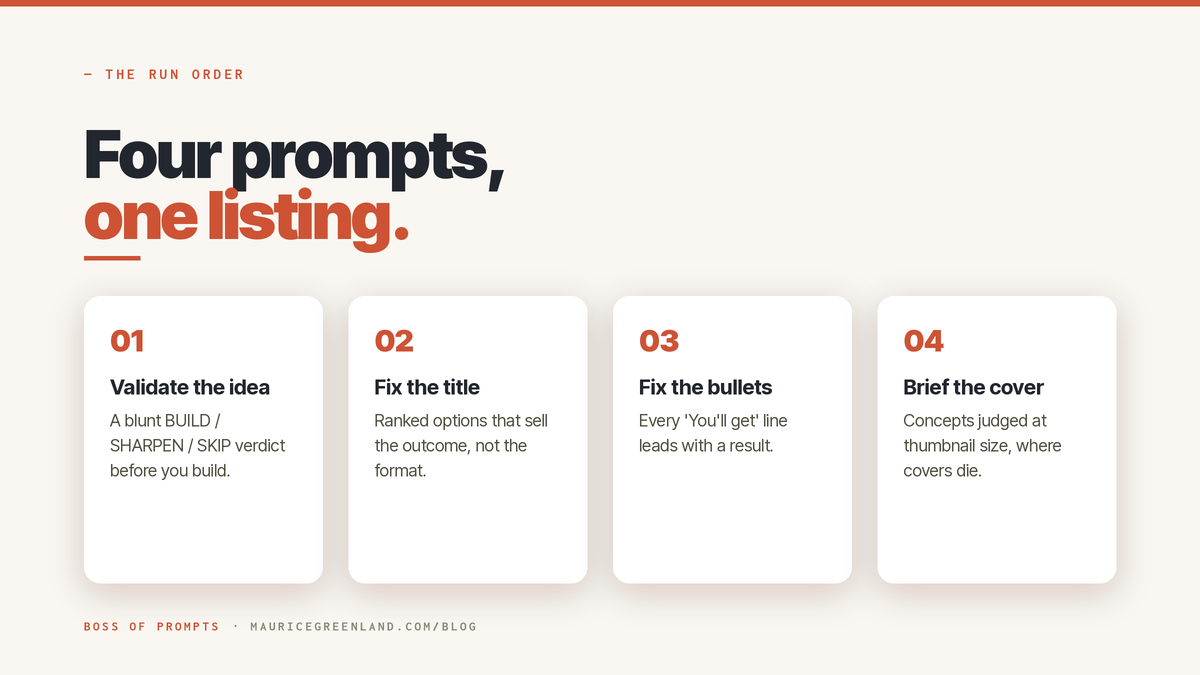
Here's the order I'd run them in — and there's a reason for it.
Start with validation (prompt 3). No sense polishing a page for a product nobody actually wants — check that first, before you burn an afternoon on it.
Then the title (prompt 1). It's the most-read thing on your page, so it needs to be right before you build out the rest of the page.
Then the bullets (prompt 2), because they're the most-skimmed — the bit people's eyes bounce to before they commit to buying your product.
And the cover brief (prompt 4) goes last, once your name and positioning are locked in.
Each one is free in the library, standalone, no catch: the title prompt, the bullet builder, the idea validator, and the cover brief.
If your page has deeper problems than these four fixes, read the blog post about why your Gumroad product is not selling.
Read next
Why Is My Gumroad Product Not Selling? Find Out Fast.
Gumroad product not selling? Work through the four checks in order, traffic, page, price, proof, and find the real problem in about ten minutes.
ChatGPT Prompts for Gumroad Sellers That Actually Sell
Ever wonder why most AI-generated Gumroad pages read like wallpaper — dull and dead on arrival? After making enough to spot the pattern, I'll tell you: two things.
The prompt's too vague — you don't tell ChatGPT who buys, what's inside, or the outcome, so it guesses (the average of the whole internet). And it has no real job. "Improve my listing" is like telling a builder to "make the house nicer." 🙂
The four prompts in this blog post fix both. Each does one job, using your actual specifics. Copy, run, ship — today.
Why These ChatGPT Prompts Boost Gumroad Sales
Here's what sets these four apart — not some trendy secret sauce, but how they're written and tested.
The pattern works for any digital product, not just Gumroad. A named role with a personality trait ("blunt product strategist").
Fill-in-the-blank details. Strict rules that block hype, emojis, and invented numbers. A fixed, copy-paste output format.
Then one test: run it on a real product. If the output needs major editing, it's the prompt that needs fixing — not you.
Want prompts that work the first time? These do. Copy them and go. 🙂
What the Paid Skills Cover That These Four Don't
The free four fix what you can patch in an afternoon. But that leaves the real work — full listing copy, competitor teardowns, value-based pricing, SEO titles, email sequences, FAQs, bundles, repurposing, and testimonials.
The Gumroad Seller Skills pack covers those areas, and each prompt in it is tested against real products before shipping.
The Wrap-Up
You came here because "write a persuasive description" gave you the same page as everyone else. Now you have 4 prompts for digital product sellers that give your product the best chance at being found and earning you some money.
Pick the prompt matching your weakest page element and run it on a real product today; the title prompt is the fastest win. And when you've run one, I'd like to know what it produced. Which of the four surprised you?
Frequently Asked Questions
What Are the Best ChatGPT Prompts for Gumroad Sellers?
The best prompts do one job each, force your product's specifics in before writing, and ban hype and invented numbers in their rules. The four published in full above (titles, benefit bullets, idea validation, cover briefs) cover the highest-impact parts of a digital product listing and have each been tested on real products.
Can ChatGPT Write My Gumroad Product Description?
Yes, if you feed it real context: who the buyer is, what's literally inside, and the outcome it delivers. A one-line request produces the same generic page every other seller gets. Use a structured prompt with rules and an output format, then edit for your voice.
Why Do My AI Product Descriptions Sound Generic?
Because the prompt was generic. ChatGPT fills every gap you leave with the average of everything it's seen, so a context-starved prompt produces the average page. Prompts with required fill-ins for audience, contents, and outcome close those gaps, which is why every prompt on this page has them.
Are ChatGPT Prompt Packs for Gumroad Sellers Worth It?
An untested "500 prompts" pack usually isn't; volume is cheap to generate and most of it produces output you'd rewrite anyway. A small set of prompts tested on real listings is a different product. Judge any pack by whether the seller shows real output and test results, and try free samples (like the four above) before paying.