A CLAUDE.md template is a starter file you drop in your project folder. Claude Code reads it, so every session opens already knowing your rules. The template is further down this page. Copy it, fill in the blanks, done.
Then there is the second half, which almost nobody writes about. Most people reading this already have a CLAUDE.md. It is 300 lines, half of it copied from a blog, and nobody has looked at it since. That file needs a pass, not a replacement.
So: the template first, then a filled-in CLAUDE.md example, then four checks for the one you already have.
This is Layer 1 of the three guardrails post, done properly instead of in three lines.
What a CLAUDE.md Template Has to Cover
CLAUDE.md is a plain text file that sits in your project folder. Claude Code reads it at the start of every session and treats it as standing instructions.
One thing to be straight about before you write a word of it. Claude Code reads your rules. It does not obey them the way a settings file gets obeyed. Anthropic's own memory documentation puts it plainly: Claude treats these files as context, not enforced configuration.
That is not a reason to skip it. It is a reason to write rules that are specific enough to act on.
A working template covers five things, and no more:
What you're building — one or two sentences, plus who it's for.
How to run it — the command that starts it, and what "done" looks like.
House rules — the things you would otherwise say out loud every session.
How things are organized — where files live, how they're named.
When you're unsure — what to do instead of guessing.
Both of the closest rival templates are written for a stack. One asks you to name your ORM, your package manager and your test runner. The other just assumes npm run lint and npm run test. If you do not have an ORM, you do not need one in the file.
The CLAUDE.md Template, Ready to Fill In
Here it is. Anything in double curly braces is a blank you replace. Where a blank has options separated by pipes, pick one.
# CLAUDE.md — {{project_name}}

## What we're building
{{one_or_two_plain_sentences_about_what_it_is}}, for {{who_it_is_for}}.
Built as a {{simple_website | small_web_app | phone_app | small_tool}}
(unsure? write "you decide — keep it simple" and Claude will pick).
Stores user info like accounts or saved data: {{yes | no | not_sure_you_decide}}
("no" is right for most first projects).

## How to run it
- Start or preview it: `{{command_to_run_it_locally}}`
  (don't know it yet? Write "unsure — tell me how to find this" and Claude will show you.)
- "Done" means: it loads with no errors AND it does the main thing —
  {{the_one_main_thing, e.g. "shows the page" / "saves a signup"}}.

## House rules
1. Never put passwords, secret keys, or private info in the code.
2. Always keep it working on phones, not just computers.
3. Ask me first before deleting files, changing how data is saved,
   or anything that costs money.
4. Don't add new tools or services without explaining, in plain English,
   what each is for and whether it's free.
5. {{your_own_rule — or delete this line}}

## How things are organized
- Main files live in: {{where, e.g. "the main folder"}}
  (unsure? write "you decide — keep it simple and tell me where things go").
- Keep names simple and consistent: all lowercase, words-joined-with-dashes.

## When you're unsure
Ask me in plain English before doing anything risky, expensive, or new.
I'm a beginner: explain choices simply and pick the easy option when in doubt.
Notice what is not in there. No framework. No database. No test runner. Every blank is a question you can answer about your own project without looking anything up, and three of them accept "you decide" as a real answer.
Three steps and you have a working file.
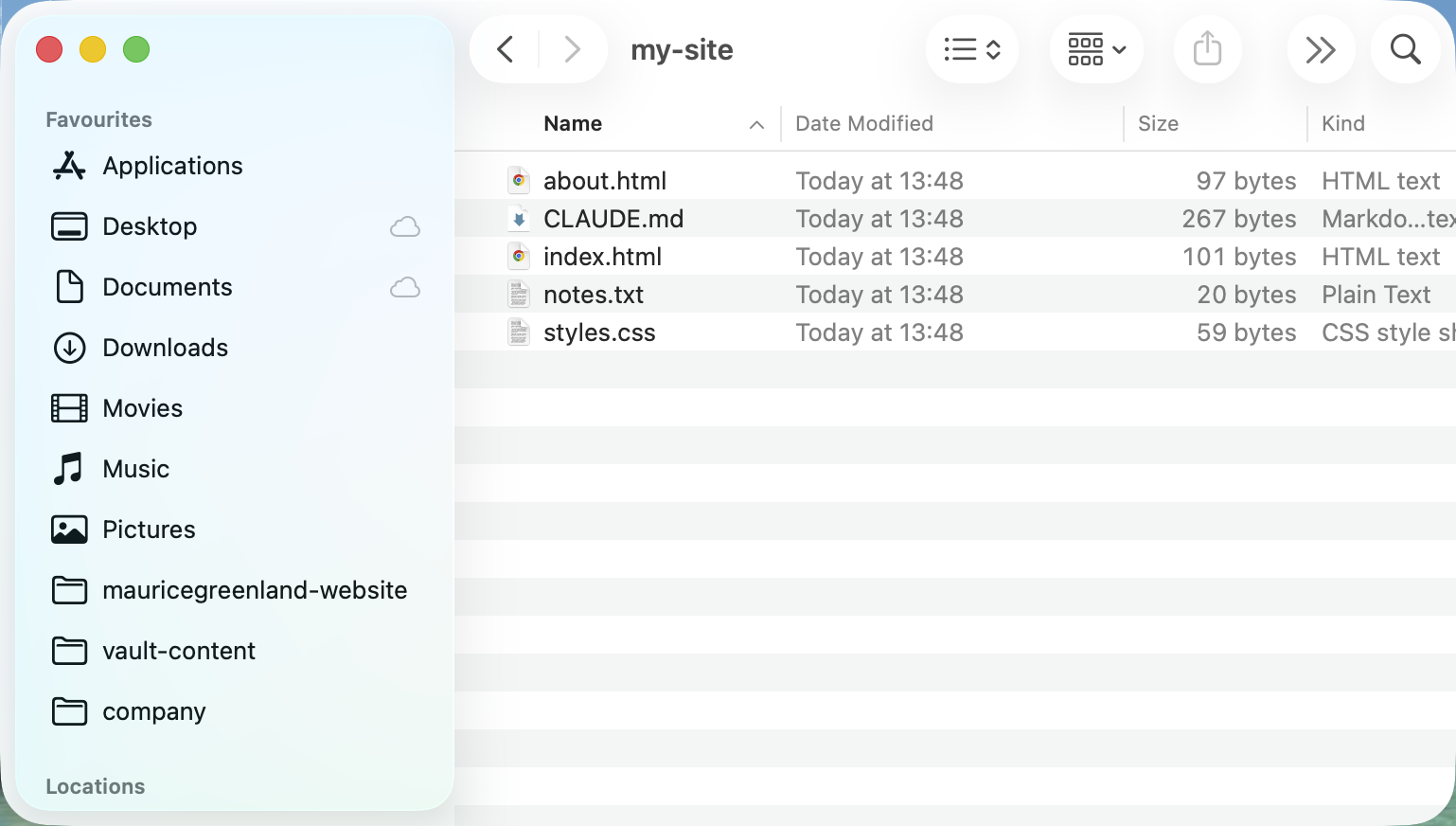
Step 1: Create the file. In your project folder, make a new text file named exactly CLAUDE.md — capitals included.
You should now have: an empty CLAUDE.md sitting next to your working files.
Check: confirm it did not save as CLAUDE.md.txt. If it did, rename it and remove the .txt.
Step 2: Paste the template and fill in the blanks. Copy the block above into the file. Replace every {{...}}. Where you genuinely do not know, use the "you decide" wording that is already written into the blank.
You should now have: a file with no curly braces left in it.
Check: search the file for {{. Zero results means you are done. One result means you skipped a blank.
Step 3: Make it read the rules back. Start Claude Code in that project and ask: "What rules apply in this project?"
You should now have: your own house rules repeated back to you.
Check: if it does not mention them, the file is in the wrong place. It belongs at the top level of the project folder, or inside a .claude folder there — it just can't be buried in some other subfolder. There is also a built-in command, /context, that prints what the session has loaded — look for your file under Memory files.
A Filled-In CLAUDE.md Example
Here is a CLAUDE.md example on one plain scenario, so you can see the shape with real words in it. This is illustrative — an invented project, not a customer.
Say you are building a one-page site where people book a table.
# CLAUDE.md — Corner Table Bookings

## What we're building
A one-page site where someone picks a date and leaves their name and number, for a
small restaurant that takes bookings by phone today.
Built as a simple_website
Stores user info like accounts or saved data: yes

## How to run it
- Start or preview it: `unsure — tell me how to find this`
- "Done" means: it loads with no errors AND it does the main thing —
  saves a booking and shows a confirmation.

## House rules
1. Never put passwords, secret keys, or private info in the code.
2. Always keep it working on phones, not just computers.
3. Ask me first before deleting files, changing how data is saved,
   or anything that costs money.
4. Don't add new tools or services without explaining, in plain English,
   what each is for and whether it's free.
5. Bookings are never deleted. Mark them canceled instead.

## How things are organized
- Main files live in: the main folder
- Keep names simple and consistent: all lowercase, words-joined-with-dashes.

## When you're unsure
Ask me in plain English before doing anything risky, expensive, or new.
I'm a beginner: explain choices simply and pick the easy option when in doubt.
The two lines doing the most work are the last house rule and the "done" line. One stops a whole category of mistake before it happens. The other gives Claude something to check itself against instead of declaring victory.
Fix the CLAUDE.md You Already Have
Now the half almost nobody covers.
If you already have a CLAUDE.md, it probably grew rather than got written. A bit from a blog post, a bit from /init, a rule you added in frustration one evening. It is longer than it was and you trust it less.
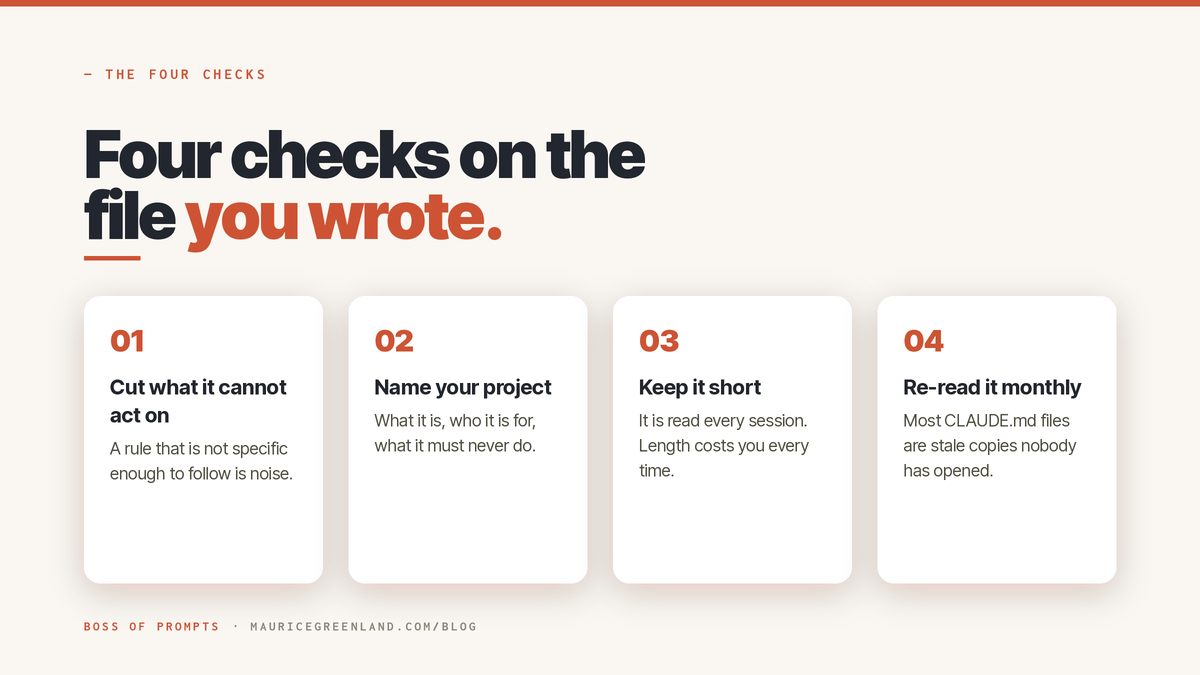
You do not need to start again. Run these four checks instead. They take one pass and they are in order of what pays back fastest.
Check 1: Cut anything Claude can work out for itself. Open the file and delete every line that just describes your folders, lists your dependencies, or explains your architecture in general terms.
You should now have: a shorter file made mostly of rules and gotchas.
Check: count the lines. Anthropic's docs say files over 200 lines use more context and may get followed less closely. If you are over, keep cutting the descriptive parts. Keep the parts that surprised you.
Check 2: Turn every vague rule into one you could check. Find any line that reads like advice. "Write clean code" is advice. "Never change how bookings are saved without asking me first" is a rule.
You should now have: every line either naming a thing to do or a thing not to do.
Check: read each line and ask whether you could tell, afterwards, if it had been followed. If you cannot, it is decoration. Anthropic's own troubleshooting guidance makes the same point — be more specific, because vague instructions get followed less.
Check 3: Find the rules that argue with each other. Read the file top to bottom looking only for contradictions. Files that grew in layers collect them.
You should now have: one instruction per topic, not two.
Check: if you have more than one CLAUDE.md — one in your home folder and one in the project, say — read both. Anthropic notes that where two files give different guidance for the same behavior, Claude may pick one arbitrarily.
Check 4: Ask it what the rules are, and listen to what it leaves out. Start a session and ask Claude Code to list the rules that apply, in its own words.
You should now have: a spoken-back version of your file.
Check: compare it to what you wrote. The rules it does not mention are the ones that are not working — usually the vague ones from check 2, or a file that never loaded at all.
That is the whole pass. It is the same four questions every time, and it is worth running whenever the file has grown enough that you have stopped reading it.
When to Hand the File Over
There are two points where doing it yourself stops being the cheap option.
The first is a real stack. Once your project has a database, a login, and things that cost money if they go wrong, the file needs guardrails written for that specific shape — not five plain-English house rules. The Setup Kit's #73 · "Drop-in CLAUDE.md for web apps" is that file.
The second is when you would rather not run the four checks by hand. #69 · "Build, audit, or upgrade your CLAUDE.md [Architect]" is designed to do that pass for you — quote your own lines back, rank the fixes, and hand you replacement text rather than rewriting the file behind your back.
Neither is required to get value from this page. The template above is the whole first job.
What to Do Next
A CLAUDE.md template is not a configuration file. It is the set of things you would otherwise repeat out loud every session, written down once. That matters more the longer a project runs. So: fill in the template above on your current project. If you already have a file, run the four checks instead — start with check 1, it is the fastest.
If you want the fill-in version, the free CLAUDE.md Starter is in the library, no card. It also includes #67 · "Write your first CLAUDE.md", which gets you there by answering questions instead of filling blanks. And when you want the file built for a real stack and audited rather than written by hand, the Claude Code Setup Kit is on the site, redeemable with a license key — every item in it has been run on a real job first.
FAQ
Where Does a CLAUDE.md File Go?
At the top level of your project folder. Claude Code looks for it at ./CLAUDE.md or ./.claude/CLAUDE.md, and it does not find files buried in a subfolder unless it is already working in that subfolder. If you are unsure whether yours loaded, run /context in a session and look for it under Memory files.
Does Claude Code Have to Follow It?
No. Anthropic's documentation is direct about this: Claude treats CLAUDE.md as context, not enforced configuration. It reads your rules at the start of every session and works to them, but nothing in the file blocks an action. For a hard stop you need the permission settings, which are a different layer.
Do I Need a CLAUDE.md Template at All?
Not to start. You can write the file from scratch in five lines. A template is worth it because it saves you the blank page and makes sure you do not forget the block you would have skipped — usually "how to run it", which is the one Claude actually needs.
Can I Write One Without Coding?
Yes. Every blank in the template above is a question about your own project in plain English, and three of them accept "you decide — keep it simple" as an answer. Nothing on this page asks you to name a framework or a database.